
Log Into Your Account
If you have an account with Engagefully, you'll need to log in to update your profile information in the directory, contribute to the social timeline, and/or access restricted content.
At the top of the menu, tap “Account – not logged in”.

Option #1: Tap “Log In with an Email Link”.
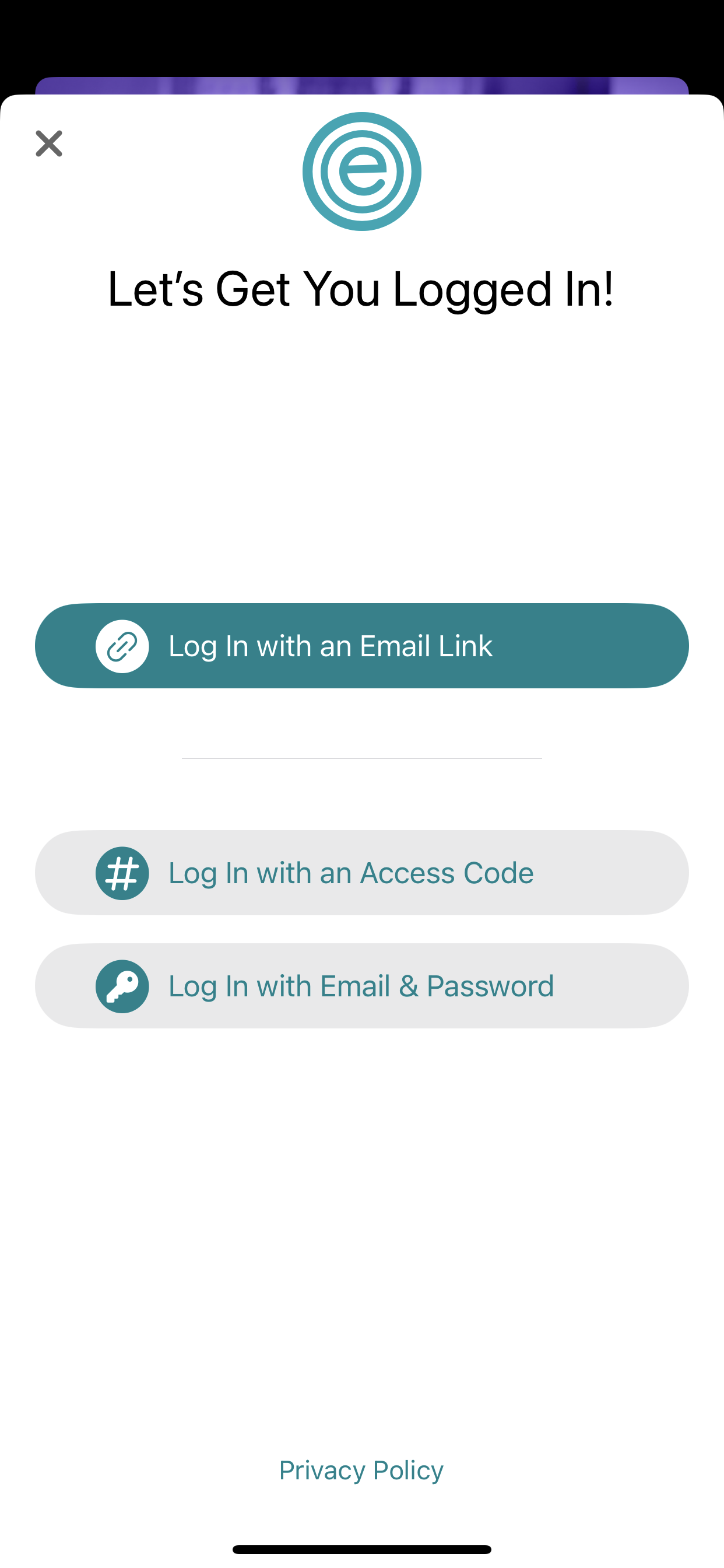
Please enter the email address associated with your event registration or organization and we'll send you a link that will log you in automatically.
If you dont have an account, we'll create one for you.
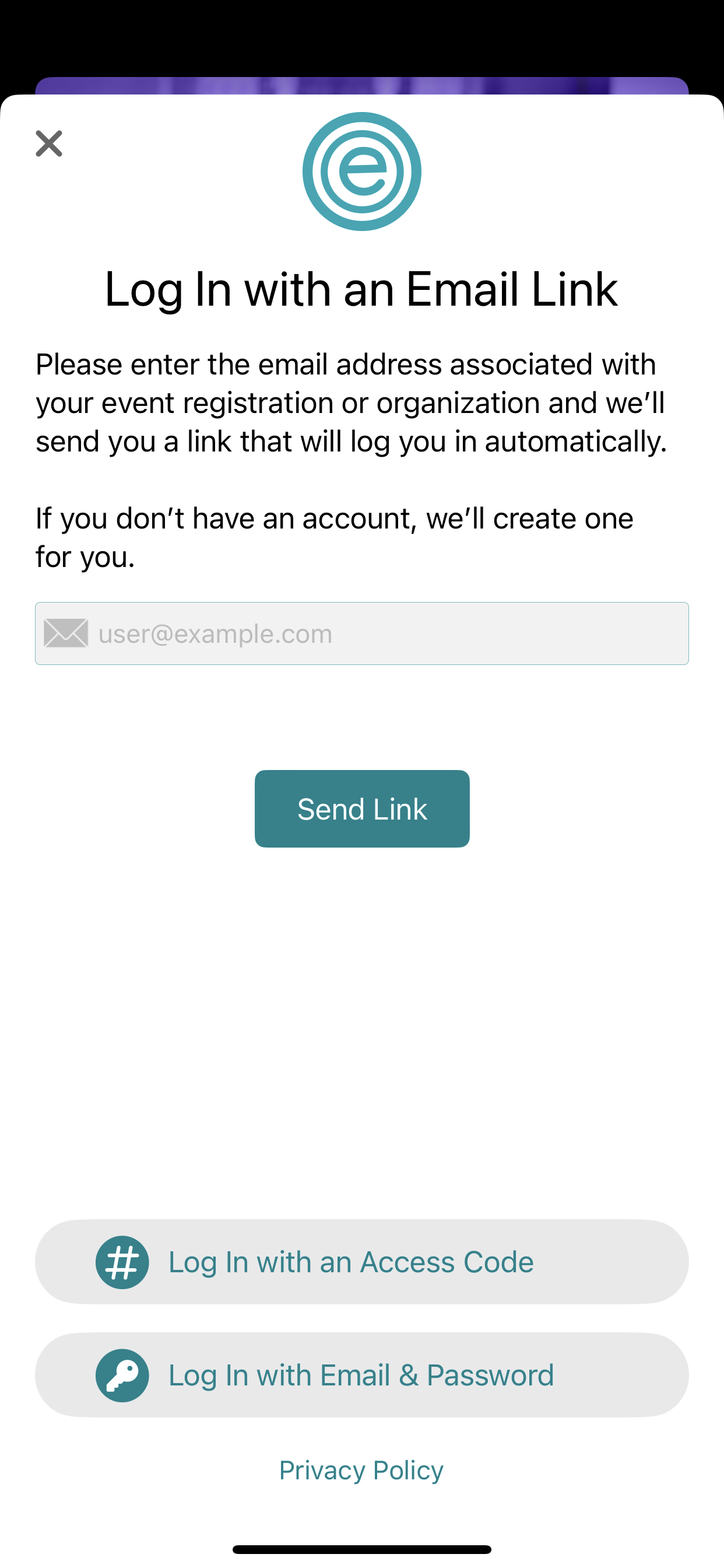
Option #2: Tap “Log In with Email & Password”.
If you are a returning user and have already created an app account with a password, please enter your credentials below.
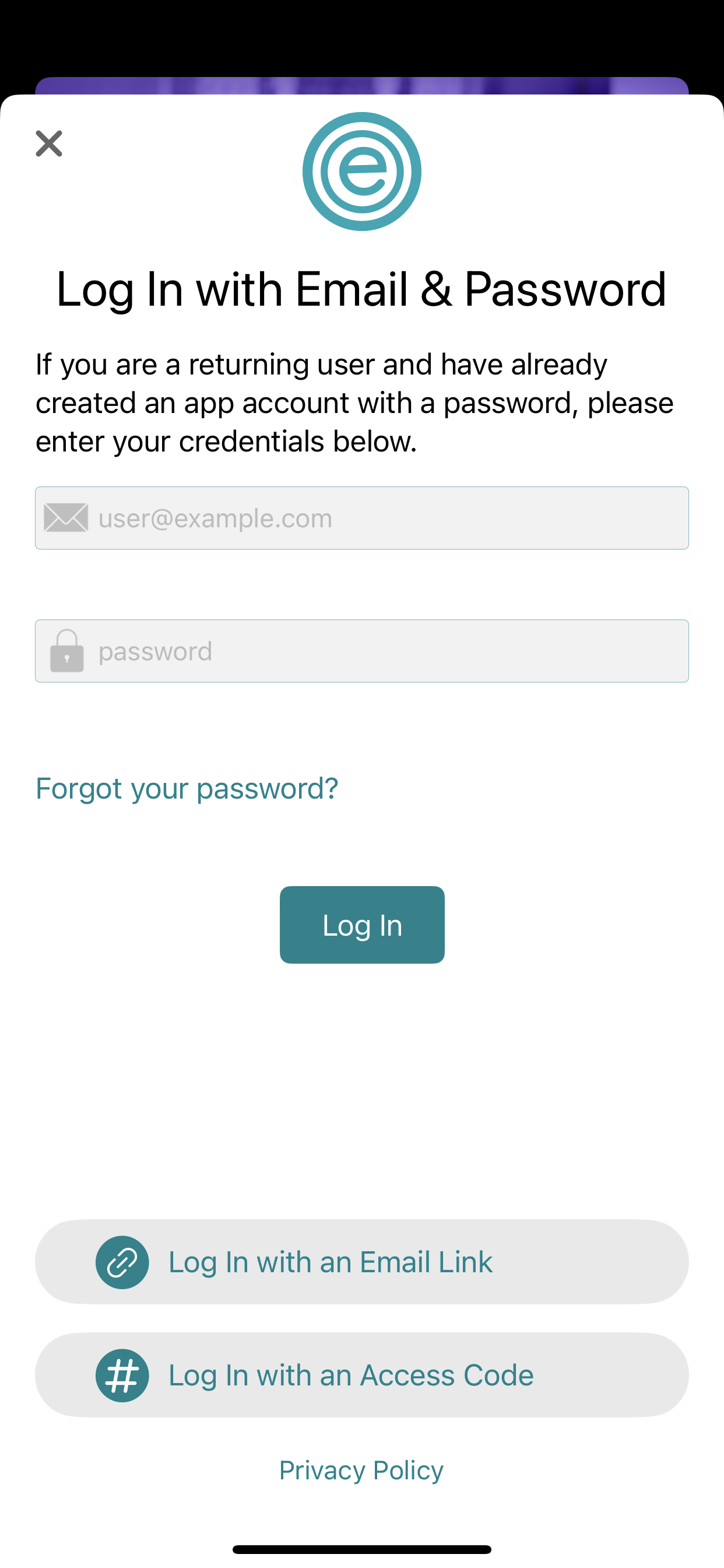
If you do not know your password,
then, tap “Forgot your password” in the middle of the screen.
Option #3: Tap “Log In with Access Code”.
This new feature serves as a backup option in case attendees do not receive the platform's invitation emails.
Access code can be provided by the event manager.
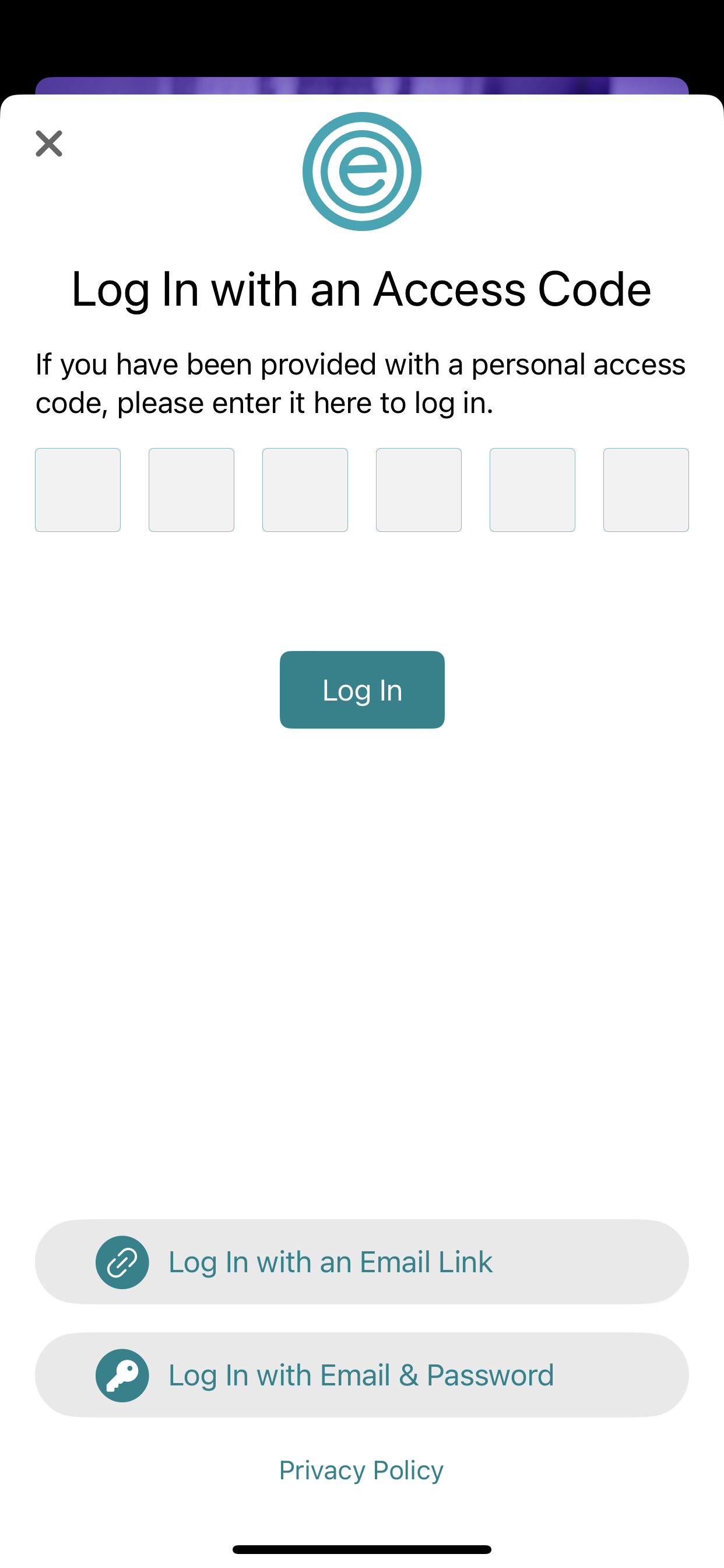
If you have been provided with a personal access code, please enter it here to log in.
If you do not know your password,
then, tap “Forgot your password” in the middle of the screen.
Still need help? Contact
support@rdmobile.com
Last updated on May 30, 2020